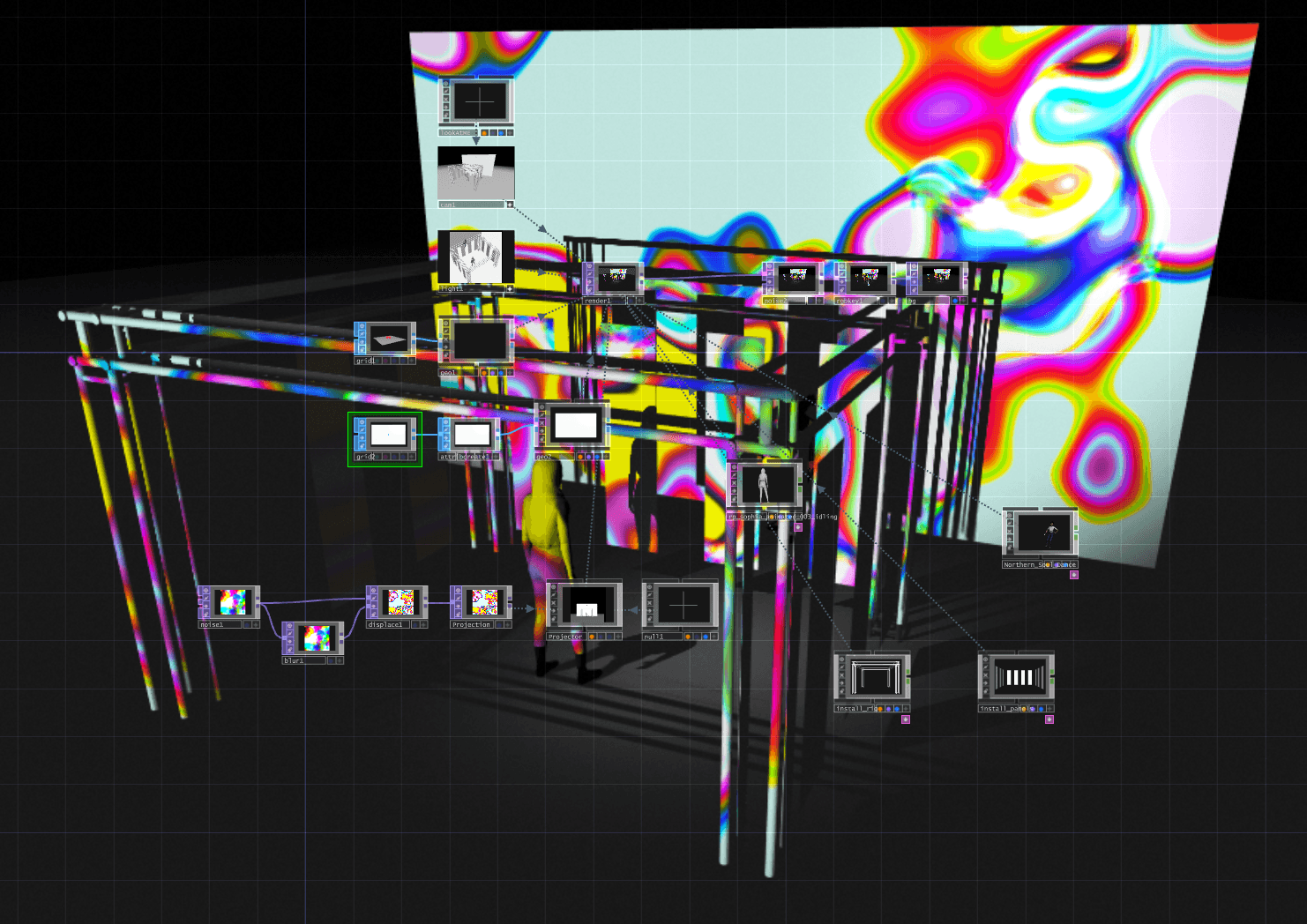
In this article I'm going to quickly survey the following software solutions for creating generative visuals. openFrameworks, an "open source C++ toolkit for creative coding", Processing a Java based language for promoting "software literacy within the visual arts and visual literacy within technology", and TouchDesigner, a "visual development platform that equips you with the tools you need to create stunning realtime projects" with Python scripting integration.
Word of warning: Not only is this article an opinion but it is also a non-comprehensive survey of just three tools for creating generative visual art. Noticeably missing from the list is Notch, Isadora, Resolume and countless others. Please take everything stated in this article with a grain of salt.
Reasoning
Over the past few year I had a growing interest in creating interactive realtime projects that include concepts like projection mapping, computer vision and generative visuals. There are a lot of software options out there for achieving these goals and picking one can be tough. So I thought I would run through a few options to see which option is worth my personal investment, either time or finances. Since TouchDesigner is the only solution I'm exploring that isn't free, I think it bears the burden of proving it's value.
Objective
In order to survey each platform, I'm going to attempt to create a unique project using each solution. The goal of this exploration isn't to create the exact same thing project in each of the solutions, but rather to get a sense of the platforms strengths and weaknesses. As a general guideline, each project will need to be interactive in some way and leverage computer vision to some extent. I'm keeping the objective fairly unstructured since I'm new to each platform. I'm also allowing the use of tutorials to influence what I'll be working on. The objective here is survey the tool, not creating the most interesting, unique or polished project.
Survey criteria
All of the mentioned platforms are capable software solutions and have been used to make amazing things. I want to know which will be the fastest and easiest to build the types of projects I'm looking to make. So here's what I'm looking for.
- Interface: How intuitive is it to navigate and understand.
- Documentation: How comprehensive is the documentation and how active is the community.
- Extensiveness: How many built-in tools does it come with and are there third party plugins available.
- Syntax: How easy is it to understand the programming language, library and or implementation.
- Portability: How can projects be deployed or shared.
- Cost: Is it affordable (spoiler : TouchDesigner is paid and the rest are free and open source)
With all of that out of the way, let's dive in!
Evaluation
Getting up and running in both TouchDesigner and Processing was easy to do. TouchDesigner provides a easy installer and Processing comes packaged with a runtime and executable that run with out installing. OpenFrameworks on the other hand wasn't easy. I had issues getting the right version of Visual Studio and the appropriate windows build tools installed, which is why I currently have three versions of Visual Studio installed on my computer. It also wasn't clear that openFrameworks wan't you to store project in s subdirectory of the library, which gives you access to any installed plugins and that threw a wrench into to the works mid project.
Interface
Both OpenFrameworks and Processing's interfaces felt really familiar. They really are just text editing environments. I find this to be a very easy way to start because there is no interface to overwhelm and every addition or feature of your project, is very intentionally added by you. Visual Studio is more a a heavy weight editor, its feature rich but can feel a bit overwhelming (at least as far as text editors go). Processing, on the other hand, was light on features. It lacked intellisense which is a basically a deal breaker as far as programming environments go.
TouchDesigner's interface was one of the most unintuitive interfaces I've ever come across. I've worked in similar node-based systems in the past, like DaVinci Resolve, and three dimensional environments like Blender and Three.js. However TouchDesigner's interface implementation of the viewport, navigation, layout and inline scripting interface is entirely bespoke and thus hard to apply you're previous experiences to. Out of the gate this is a drawback and it takes a fair amount of time and effort to get up to speed. That being said, there are a few things I really like about the interface. First, every node gives you some sort of visual representation that can be focused in on in the viewport. This can be very helpful to make adjustments and visualize changes quickly and without having to strip out sections of your project. Second, is the operator menu (nodes in other programs). This menu give you quick access to all the operators TouchDesigner has to offer in a very organized way. The menu works almost like built in documentation, allowing you to see all the methods at your disposal.
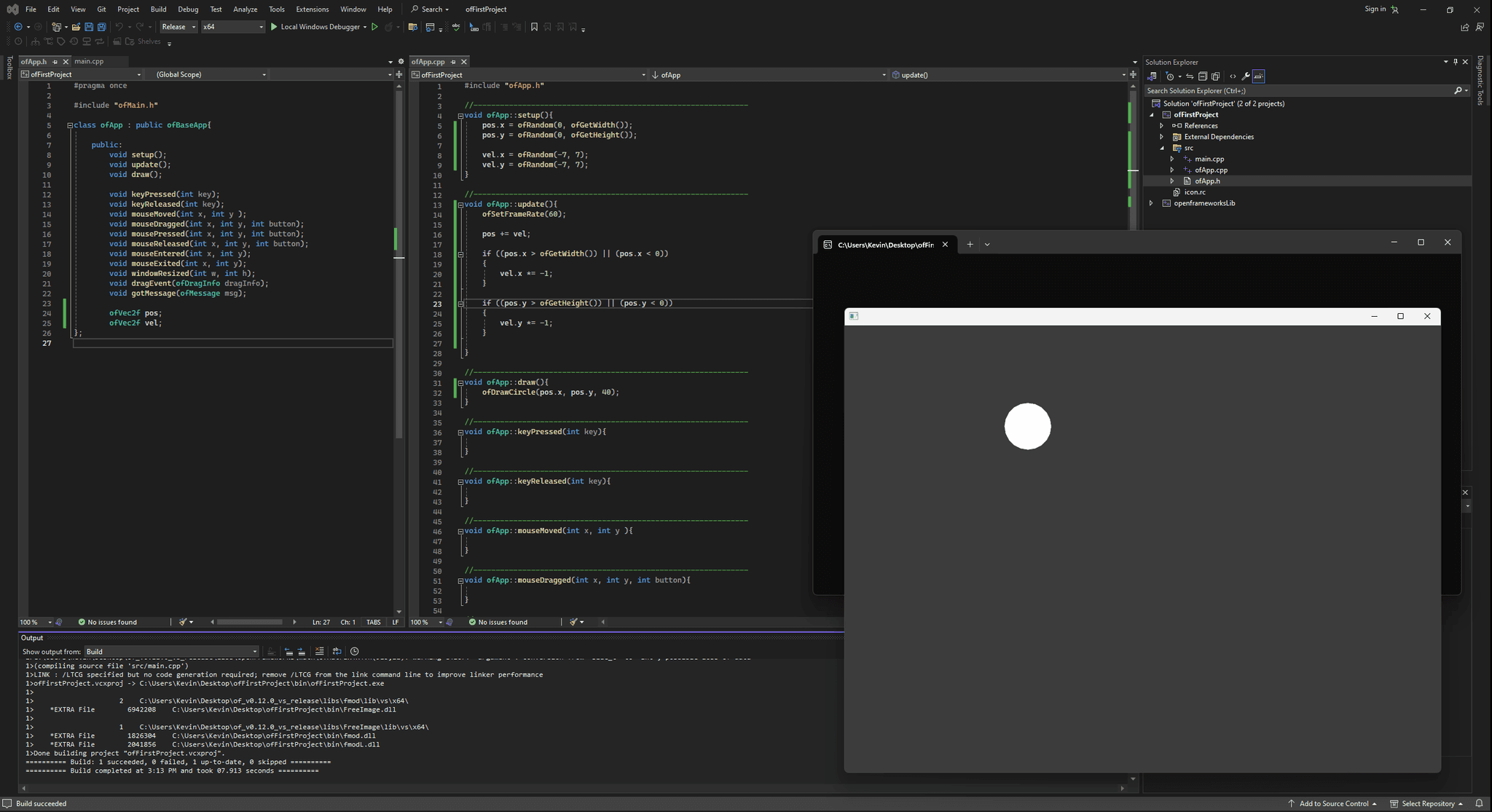
Quick note: I'm using the recommended integrated development environments (IDE) for both Processing & openFrameworks. It might be possible to use other IDEs or text editors like JetBrain's Rider or Visual Studio Code.
Documentation
OpenFrameworks' documentation is complete but lacks inline code examples. The API documentation is well organized and like most libraries or frameworks, you can expect to easily find information on the exposed methods, types and parameters, but there are no inline examples which can really help users understand complex features. There is an examples page which is very helpful, but it only covers a portion of the features and you need to know what you're looking for in order to find it in a sometimes unrelated example. This is often an issue for open source projects because it require a lot of effort to documentation everything with that level of detail, so nothing unexpected here.
Processing's documentation is as complete as openFrameworks but with the addition of inline examples! It might seem like a marginal improvement but it can be a major productivity boost. Processing also has an examples page that provides a lot of insight to new users.
TouchDesigner's documentation is different but effective. Every operator is not only listed in the dialog panel but each operator contains a link to both the node based documentation and the Python API. Both seem complete and up to date but feel more difficult to navigate. However, inside of TouchDesigner, you can open the snippets window, which has node based examples for each operator. This is extremely useful. It did take me a little while to find and I wish it was more obvious to first time users.
Looking for project tutorials and third party examples revealed that there are pretty noticeable differences in the communities. TouchDesigner seemed to have the largest community interested in this type of process and the outcomes from that community were ambitious. Process also has a large community but the projects were usually smaller or less related to my objectives. OpenFrameworks community seemed smaller and the work was seem to be more split and often focused on research topics.
Extensiveness
OpenFrameworks' API is robust and the platform comes jam packed with features. There is a rich echo system of addons that extend the platform's features. The quality of each on likely varies but it's nice to know that there are options. In addition to the features openFrameworks provides and its addons, you can rest assure that C++ is one of the most mature languages out there. I wouldn't be surprised if I found myself reaching outside of openFrameworks library for more general c++ libraries.
Processing's API also feels extensive and in many ways mirrors the methods and language found in openFrameworks. Unfortunately, Processing is accessed via its Java API. Java as a language is widely used but has been declining in popularity for some time and isn't really a language that is see growing in the future. Reaching outside of the Processing environment for native Java tools, seems less assured. This is a major downside to processing.
TouchDesigner provides a huge array of tools and methods. Nearly everything I looked for wether it was an OSC library, Kinect integration or UI creator, seemed to be included out of the box. I struggled to find missing features.
Out of the box, TouchDesigner seemed the best tool set for achieving objectives quickly.
Syntax
OpenFrameworks is written in C++ and the syntax was a bit harder then other programming languages. I think this is a downside for most people however C++ is a very versatile language and runs on almost anything, making it a great language to learn. Getting started in openFrameworks doesn't require you to manage memory and write pointers which is considered one of the harder aspect of low-level languages. I imagine it will come up as you later on as the complexity of your project grows.
Processing is written using Java, which is a strongly typed language garbage collected language, meaning you don't have to be as concerned with memory management. Its a rather nice language to work with and almost certainly easier then c++ but I do have concerns about it's longevity. Its a topic for another day but it definitely a long term concern.
TouchDesigner exposes underlying methods via it's Python API. Even thought there is a graphics user interface (GUI) it can be helpful to reference or programmatically create values via inline Python scripts. Python is a relatively easy language to learn since it's weakly typed and garbage collected. However it takes a little getting used to in the context of TouchDesigner and since it's inline and not in a text editor or IDE, intellisense is not provided. It might be possible to set this up differently in the future.
Portability
Processing, openFrameworks and TouchDesigner all made sharing projects fairly easy. OpenFrameworks can compile applications for windows, linux and mac out of the box without the need to install anything else on the target device. Processing has a similar feature, that also has the ability to pack a Java runtime with the application. My first attempt didn't see to work because the build function didn't copy the media I was using. It's a quick fix, just copy the files into the build directory but I do wish there was a feature to include folders in the build.
TouchDesigner takes a different approach. They provide sidecar software called TouchPlayer free of charge for non-commercial projects. TouchPlayer will open .toe files in perform mode which excludes the editor interface. I would prefer to build a executable file like openFrameworks but this works just fine.
Cost
OpenFrameworks and Process are both free and open-source. There isn't more to say about it really. Good, old fashion, free software for making software.
TouchDesigner is paid software and has a rather hefty price tag. The good news is that there is a free version that only limits the output resolution. That allows for an extensive evaluation. A license only grants access on a single computer, so it can get expensive quickly. I'm lucky enough to receive the educational discount, so this isn't as big of an issue for me.
Final products
In the end I was able to make three interactive and fun projects. For openFrameworks I worked from a course on Domestika called Immersive Art with openFrameworks to create a particle system that users can interact with via a webcam. For TouchDesigner I started Simple Motion Visualization tutorial on YouTube, straying a bit from the tutorial to incorporate an Azure Kinect sensor. For Processing...
OpenFrameworks
The project uses the ofxOpenCV (Computer Vision) addon to interact with a rudimentary particle system. OpenCV gives you the ability to frame difference images, in this case a feed from a webcam, allowing you to compute the pixels that changed from a reference image. Contiguous images that are different from the reference image can be tracked as a blob. From this blob you can infer the position of someone or something that appears in the frame and use the movement to calculate vector force that can then be applied to the particles. I was successful executing frame differencing, but used a very cheap webcam. I imagine some exposure control, higher resolution and a higher bit depth image would all help to improve the differencing.
screen recording of the final openFrameworks project
I'm including the code that was written for this demo.
#include "ofMain.h"
#include "ofApp.h"

int main( ){
ofGLWindowSettings settings;
settings.setSize(2560, 1440);
settings.windowMode = OF_FULLSCREEN;

auto window = ofCreateWindow(settings);

ofRunApp(window, make_shared<ofApp>());
ofRunMainLoop();

}
If you'd like to run the project locally, you can download the project, unzip the files and run the executable. It will only work on windows and it will require you to have a working webcam, but you may experience issues if you have multiple webcams or if they don't support the video resolution.
zip file
TouchDesigner
This project leverage quantized video decimated to black and white pixels. I started with a video clip, but was able to use a Kinect with ease. With a little edge detection and a bunch of feedback loops I was able to create an interactive texture. At that point I broke away from the tutorial a little but to pursue an idea. Instead of using video input I wanted to mock a performance using a three dimension model. I download a model from the internet with a dance animation used a mock camera in the scene to originate the image before passing through the looping feedback filter I had made. I took it a step further by adding a camera animation and a mock projection surface.
screen recording of the final TouchDesigner project
If you'd like to run the project locally, you can download the project, unzip the files and open the file in TouchPlayer. It will require a working Azure Kinect, but if you open the project in TouchDesigner you can configure the input differently.
zip file
Processing
Conclusions
All three tools offer something that the other don't. Processing is the easiest to get started in and understand but I struggled with it's performance and lacking support for the Azure Kinect. OpenFrameworks was performant, had community support for the Azure Kinect and is free but I often felt my progress slow because of environmental issues. For instance the Azure Kinect ofx addon requires you to add path and environment variables, which is not only a hassle, but would likely break when building and moving to another machine. TouchDesigner is performant, supports the Azure Kinect but isn't free and it's interface takes some getting used to. I think I'll like use each of these tools intermittently based on how they suit a project.
Most importantly, I was trying to determine TouchDesigner was worth the cost of admission. For me the answer ended up being yes. I might feel differently without the educational discount I received. For the cost of the software I felt like the node system and vast hardware support was a major value add.
That's if for now but I imagine I will posting more about this topic in the future so stay tuned.