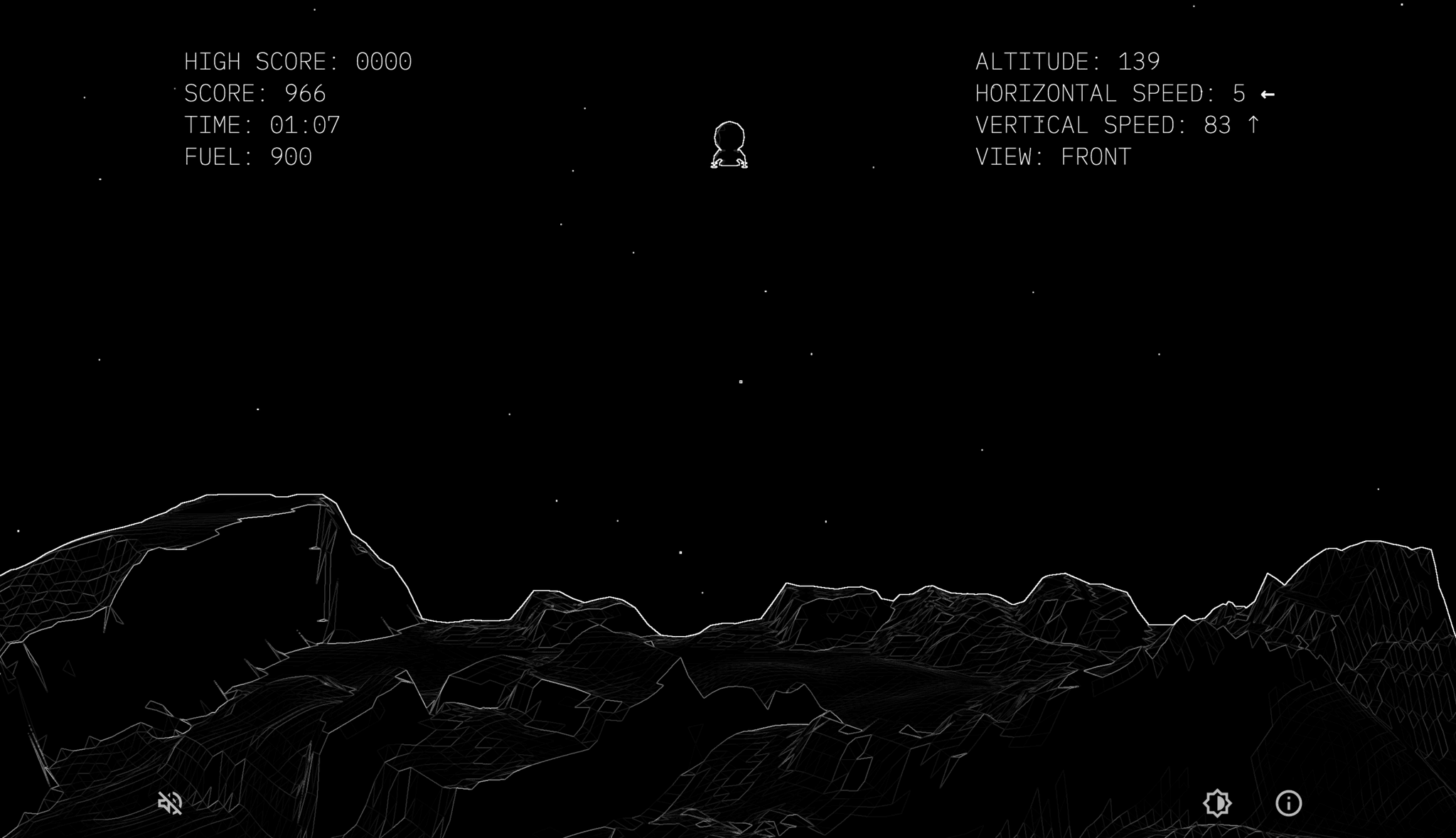
In this article I cover my experience developing my first game using JavaScript, the programming language I have the most experience with to date. I've know for a while that I wanted to dip my toes into game evelopment but wasn't quite ready to invest the time or energy into Unity or Unreal. Though I'm sure they will be a part of my future endevors. Luckily for me, Three.js exists and I've sense come to learn all the ways if falls short of a Game Engine, it's pressive none the less.
Shortly after making the decision to tackle this project, I realized that what I was trying to acheive was "learn how to make a game" rather then "making a great game". Planning and designing gameplay or game mechanic is certinaly interesting to me, but it would be a time consuming step and posibly even a waste of time at this stage in my education. In order to cut corners I decided to update a classic rather then coming up with a concept from scratch. I mentioned this to my brother, to which he said, "Like Lunar Lander? Do Lunar Lander. Lunar Lander. From Atari.". That was enough for me. I decided to remake Atari's 1979 arcade classic Lunar Lander, but updating it to be a three dimensional (3D) game.
I quickly realised that the idea of recreating Lunar Lander and updating it to three dimensions might be difficult. Lunar Lander was mostly line rendering and I didn't really have an idea of how that could translate to 3D. Thankfully a bit of research surfaced an example of a sobel shader. It seemed like a good enough answer to the problem so onward.
Quick note: I later went on to experiemnt with EdgeGeometry and both seem viable, though I was getting less aliasing with postprocessing the image via the Sobel shader. EdgeGeometry did seem to make lighting less important.
Getting started
Knowing that the idea was feasible was the push I needed. I dove into the Three.js documentation and started making demo and examples. I always find it helpful to experiemnt with new libraries in the smallest possible way even when you have a larger project in mind. Hunor Márton Borbély's traffic game tutorial was extremenly helpful. I was able to not only follow along but also modify the end product and add a bunch of addition elements which you can experience here. Working with Three.js in the context of a game was really helpful but I couldn't help but think I needed to start with a better foundation. The Three.js Journey course by Bruno Simon is one of the best courses I've ever taken and it gets better every year. I highly recommend it for anyone who wants to learn Three.js.
Now that my skills were starting to match my ambition I was ready to get started. I decided to start slow, in a test project and worked to the basics. I did this because I was certian to learn more about the process as I went on and there was no doubt that a large refactor was in the cards. I thought if I could make a box fly and land, I would know enough to move on. This approach led me to unearth little details that became very import to the project. Right off the bat, Three.js is a graphics library and lacks any sort of physics, so I had to add and understand a seperate physics system. This ends up being almost a shadow of your game. In many ways you update the physics system and your graphics library (Three.js) copies positional data from that system. I used Cannon-es which is an updated fork of cannon.js. I made sure to duplicate my tests into a new directory everytime I tackled something new which made for a great archive:
- Flying box: A good start but featureless.
- Adding stats: It's a very stat driven game and hooking into physics system for velocity and altitude was important
- Basic Lander Shape: The box was cool but I need to figure out more complex shapes for the physics system. The most efficient way to make complex shapes is to group primative shapes. So that's what I did here.
- Follow Camera: Understanding camera rigs and or camera rigs is an import part of game development.
- Texture displacement: I thought this might be a viable option to create terrain, it seem difficult to calculate collisions with this method so this was a short lived experiemnt. I ended up modeling the terrain in Blender and using a trimesh conversion utility written by Sean Bradley
- Forced based turing: Pervious steering experiemnts were flawed as I was rotating my lander. This caused a conflict between the landers position and the physics being applied to it. So instead of manually rotating the lander I opted to apply rotational force, this way only the physics system would influence the position and rotation of the Lander.
- Multi Key Input: There is a bit of a flaw in Javascripts event loop architecture. It can lead to an issue where a keyup event fires before the keydown event. This caused my game state to get stuck, which can be seen in the previous links. The solution is to time stamp keyup and keydown events to track them in the queue.
- Multi Axis Steering: Updating the game to 3d left me wanting to control the game in three dimensions. So I worked on a mechanic where you rotate around the Lander and control the craft based on which side you are looking at.
- Steering Assist: My previous experiemnt highlighted the important of steering assist. In the previous iteration, it's nearly imposible to controle the lander as it twists and turns. So when a user rotates the camera, I reset the Lander's rotation and clear the rotational forces. This impoved the feel of the game overall but I know I would need to imporve upon it.
A side quest appears
During the guantlet of tutorials and tests, I realized that I would have to take on another challenge. While it might have been entirely possible to create all the assets I needed in Three.js it didn't seem the the best option. So to make things easier I opted to use 3D modeling software. Luckily Blender exists and is free and open source. I struggled to navigate my way through Blender and eventually ended up investing my time and money in a Blender course by Polygon Runway, another worthwhile purchase but their are plenty of free Blender tutorials avalible.
I thought it would be best to model the assets I knew I would need for the game. I only really needed to model a Lander and terrain. I know I would want to create multiple levels in the future but figured a single terrain model would be enough to figure out scale and gameplay. Here are a few wireframes rendered from Blender.
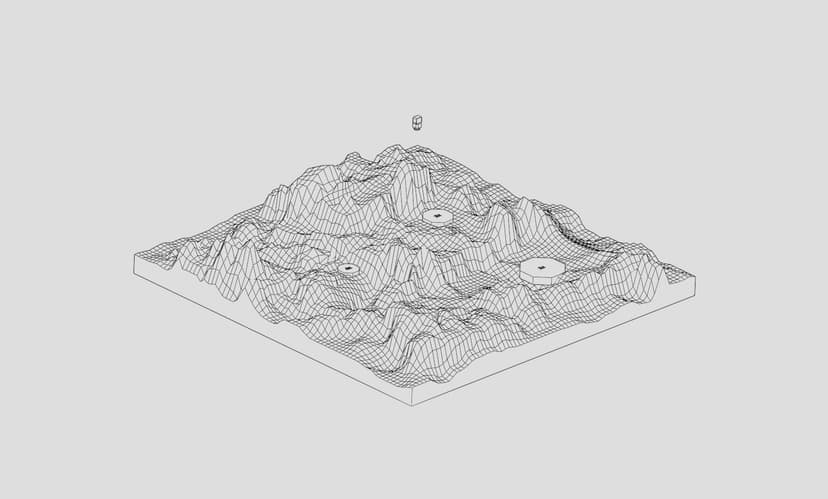
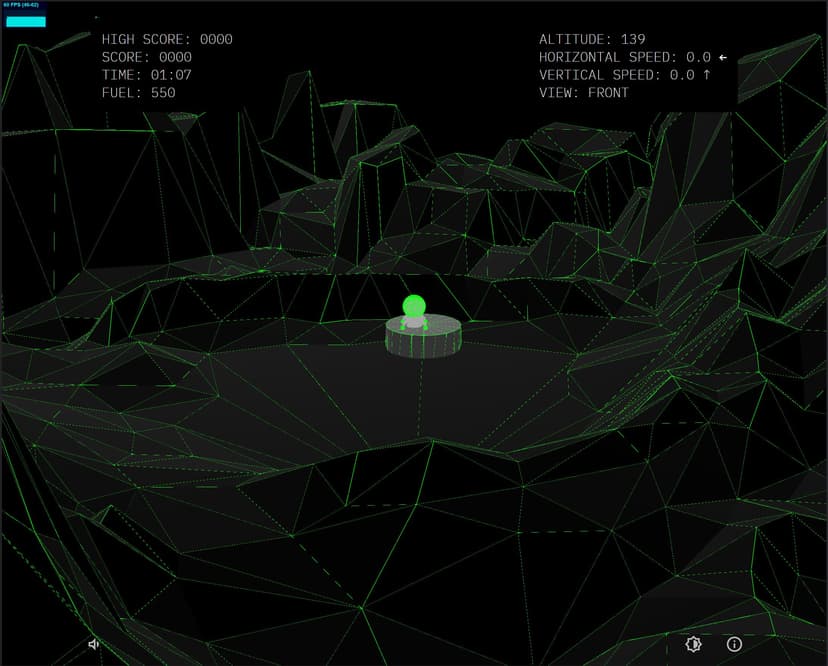
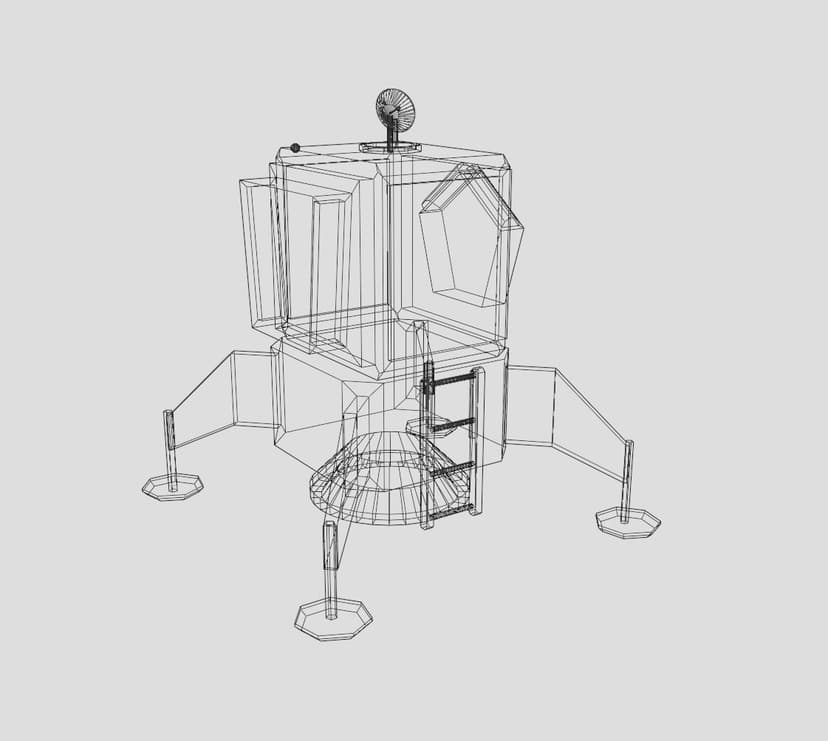

I would eventually go back and experiemnt a lot more with the size and fidelity of the terrain to better match the orignal aesthetic of the game. As well as creating multiple different terrains to be used as different levels as the player advnaces.
With my assets in hand and rudimentary working knoweledge of the libraries I needed, I was ready to approach the final build or so I thought. Coding in a new context can often be challenge to say the least. I quickly felt overwhelmed by the scale of the project and couldn't stand the structure of the project. Bruno Simon to the rescue. Within his Three.js course was a three hour lesson about structuring a bigger projects. I was doing something similar but his structure came with a ton of insight related to projects of this kind.
The final technology stack is as such:
- Vite.js: As my build system.
- Three.js: 3D WebGl Rendering Library
- Cannon-es: Physics Library
- Tweakpane: Debuging, fine-tuning parameters and monitoring.
- Alpine.js: Lightweight JavaScript framework for UI
The final product
You can play the here. You can also open the game in developer mode, which will give you access to a properties panel. You can use that panel to adjust parameters and change the look and feel of the game. If you'd like to checkout the repository, you can find it on my github.
Radlad-io
Recommendations
All in all this was an extremely educational experience. This is still a work in progress but is nearing completion. For folks that want to try somthing similar, I have two strong recommendions. The first would be to minimize the scope of your game and remove any features that aren't absolutely nesacary. The tutorial traffic game is a great example of something with minimal UI and gameplay. This will help you accomplish your main goal faster. The second would be to try something without a physics system. There are plenty ways to move things around on screen without one. It's not integrated into Three.js and adds a lot complexity to the project.